If your golf cart won’t start, loses power unexpectedly, or makes strange noises, you’re not alone. Golf cart problems are common, especially in older models or carts used frequently on rough terrain. Whether you own a gas-powered or electric model, mechanical issues can disrupt your round or daily use around the property. The good news? Most golf cart problems have straightforward causes and solutions.
From battery failures to brake malfunctions, this guide breaks down the most frequent issues, how to diagnose them, and step-by-step fixes you can do yourself. You’ll learn what warning signs to watch for, how to perform quick checks that save time and money, and when it’s best to call a professional. With basic tools and a little know-how, many repairs take less than an hour.
Battery Failure Signs
Dead or weak batteries are the leading cause of golf cart problems, especially in electric models. If your cart won’t start or struggles to accelerate, the battery system should be your first check.
No Power at Startup
When you turn the key and nothing happens, not even dashboard lights, the issue is likely battery-related. Begin by checking if the battery pack is charged. Plug in the charger and confirm it powers on and connects properly. If the charger doesn’t light up, test the outlet with another device.
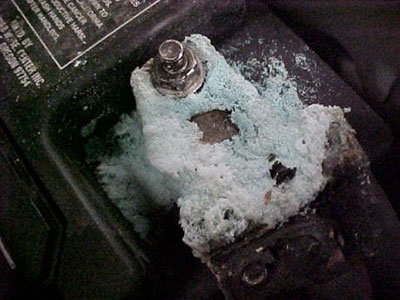
Next, inspect the battery terminals. Corrosion, which appears as a white powdery buildup, can block electrical flow. Clean terminals with a wire brush and baking soda solution. Tighten any loose connections. If the cart still has no power, use a multimeter to test voltage across each battery. A healthy 6V or 12V battery should read close to its rated voltage. Replace any that read significantly lower.
Intermittent Power Loss
If your cart starts but cuts out during use, especially uphill or under load, the problem may be a failing battery or poor connection. Check all inter-battery cables for fraying, corrosion, or looseness. Wiggle each connection while the cart is running at idle to see if power cuts. This reveals loose wiring.
Also, ensure the battery water levels are adequate for flooded lead-acid types. Low water exposes plates and reduces performance. Refill with distilled water to the proper level. Never overfill. Charge the entire pack fully before retesting.
Charging System Issues

Even with good batteries, a faulty charging system can leave you stranded. Understanding how your golf cart charges helps diagnose these problems early.
Charger Won’t Start
If the charger shows no lights when plugged into the cart and outlet, verify the outlet has power. Try a different outlet if possible. Ensure the charger’s power cord isn’t damaged.
Check the cart’s charging inlet for debris or corrosion. Clean it gently with electrical contact cleaner. Also, confirm the key switch is in the “off” position. Many carts won’t charge if the key is on.
Some chargers have built-in safety cutoffs. If the battery pack voltage is too low from sitting unused for months, the charger may refuse to engage. In such cases, a jump-start from another battery or using a 12V car charger on the main control battery may reset the system.
Overheating Charger
A charger that gets excessively hot during use could indicate internal failure or a short in the battery pack. Unplug immediately if it smokes or emits a burning smell.
More commonly, overheating happens in hot environments or due to poor ventilation. Make sure the charger sits in a cool, dry place with space around it for airflow. Avoid charging in direct sunlight or enclosed spaces.
If the charger cycles off and on repeatedly, it may be entering thermal shutdown. Let it cool down, then try again. Persistent issues mean the charger likely needs replacement.
Motor and Performance Problems
When your golf cart feels sluggish, makes grinding noises, or won’t reach normal speed, the motor or drivetrain could be at fault.
Slow Acceleration
Poor acceleration often stems from low battery charge, so rule that out first. If batteries are strong, check the accelerator pedal and linkage. On older carts, the throttle cable can become stiff or misaligned.
Lubricate the pedal pivot point and inspect the cable for kinks. Test the microswitch near the pedal by pressing it manually to see if the cart responds. A failed switch blocks power to the motor.
For electric carts, a worn-out speed controller may limit performance. Look for burn marks or swollen capacitors on the controller unit. Replace if damaged.
Grinding or Whining Noises
Unusual sounds from the motor or rear end usually point to worn bearings or gear issues. Lift the rear wheels and spin them by hand. Listen for grinding in the axle area.
Remove the motor cover and inspect the pinion gear and ring gear for chipped or worn teeth. Also check the motor shaft bearing. If it wobbles, it needs replacement.
Lubricate the differential with the manufacturer-recommended gear oil. Low oil levels increase friction and noise. Refill to the proper level using a squeeze bottle.
Brake System Failures
Brakes that don’t hold or feel spongy compromise safety. Regular inspection prevents dangerous situations.
Soft or Spongy Pedal
In hydraulic brake systems, a soft pedal often means air in the lines or low brake fluid. Check the master cylinder reservoir. Top off with DOT 3 or DOT 4 fluid if low.
Bleed the brakes to remove air. Attach a hose to the bleed valve on each wheel, submerge the other end in a jar of fluid, and pump the pedal while opening and closing the valve. Repeat until bubbles stop.
Inspect brake lines for leaks or cracks. Replace any damaged hoses.
Cart Drifts When Parked
If your cart rolls when parked on a slope, the parking brake may be out of adjustment. Locate the brake lever or cable near the rear axle.
Tighten the adjustment nut until the wheels lock when the brake is engaged. Then back it off slightly so wheels spin freely when released. Test on a slight incline.
Worn brake shoes also reduce holding power. Remove the wheels and inspect the lining thickness. Replace if worn below 1/8 inch.
Solenoid and Electrical Faults
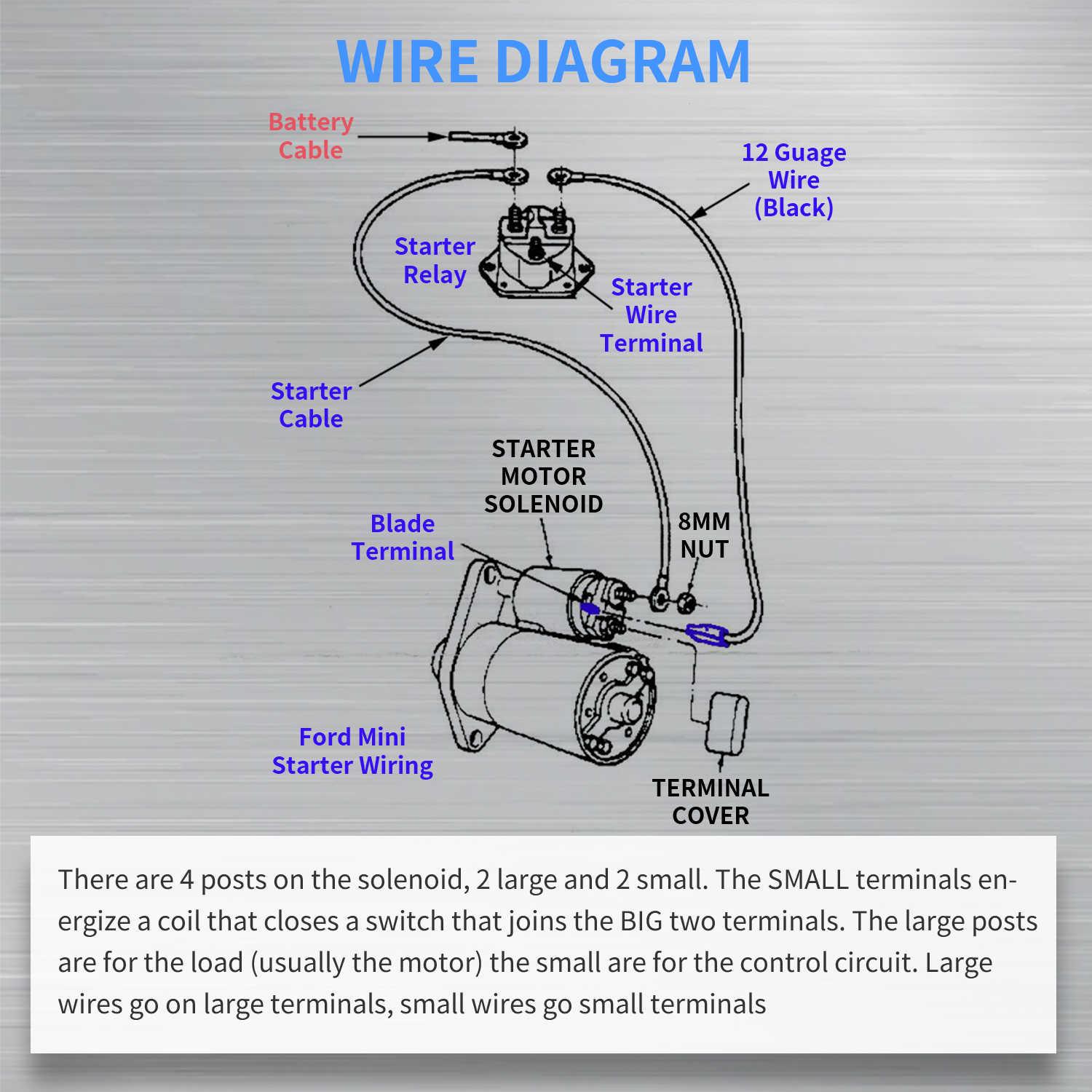
The solenoid acts as a relay, sending power from the batteries to the motor when you press the accelerator. A failing solenoid causes sudden power loss.
Clicking Sound but No Movement
A single click when pressing the accelerator usually means the solenoid is engaging but power isn’t reaching the motor. Test the solenoid with a multimeter.
Set the meter to DC volts. With the key on and accelerator pressed, check for voltage at the small trigger terminals. If present, the solenoid should close.
Now check the large terminals. Voltage on one side but not the other means the solenoid is bad and needs replacement. Always disconnect batteries before replacing.
Intermittent Electrical Cuts
Random power drops may stem from a loose solenoid connection or failing unit. Inspect all large cables attached to the solenoid for tightness and corrosion.
Also, verify the ground wire from the motor to the frame is secure. A poor ground disrupts the entire electrical circuit. Clean the contact point and reattach tightly.
Consider upgrading to a high-quality OEM solenoid if replacements fail quickly.
Speed Controller Malfunctions
In electric golf carts, the speed controller regulates power delivery. When it fails, performance suffers.
Erratic Speed Behavior
If the cart surges forward or responds unpredictably to pedal input, the controller may be failing. First, inspect all wiring connections to the controller.
Look for melted insulation, loose terminals, or water damage. Controllers mounted low can get wet, leading to corrosion.
Test the potentiometer, which is the accelerator sensor. Use a multimeter to check resistance changes as you press the pedal. It should increase smoothly. Jumps or drops indicate a bad pot.
Replace the controller if wiring is intact but symptoms persist. Match the new unit to your cart’s voltage and model.
Controller Overheating
A hot controller during normal use suggests overload or poor ventilation. Ensure the unit has space around it for cooling.
Check for dragging brakes or underinflated tires, both of which increase motor load and heat buildup. Fix mechanical issues first.
Install a small fan or heat shield if overheating continues in hot climates.
Drive Belt and Clutch Issues
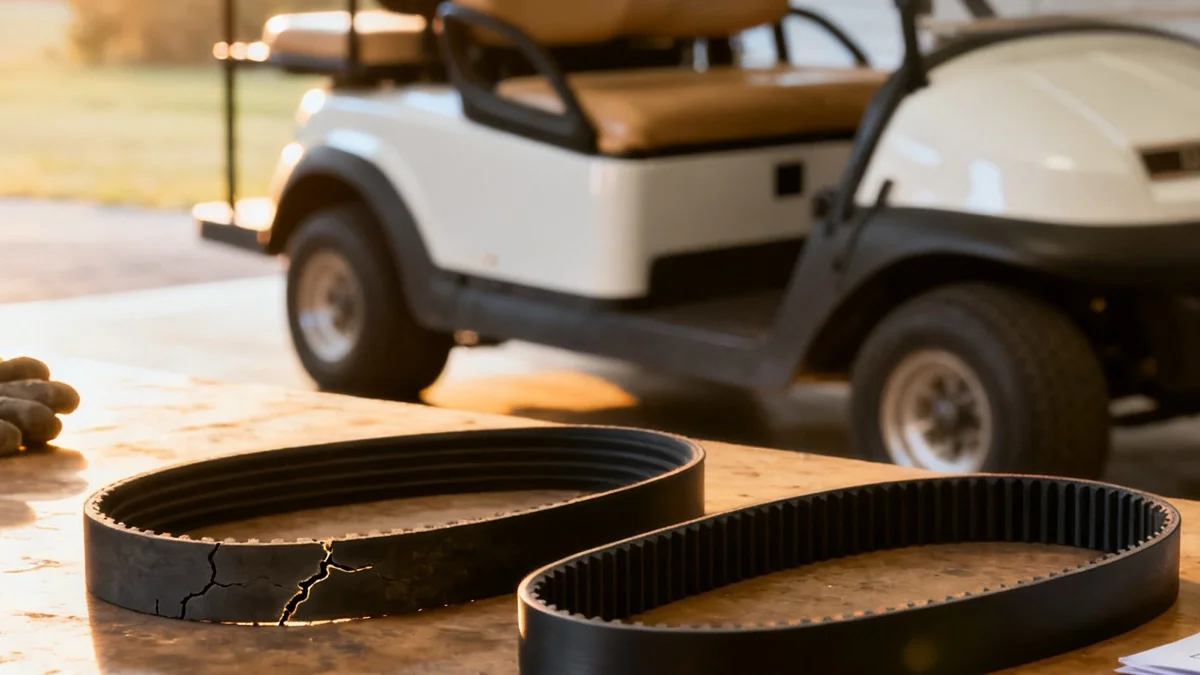
Gas-powered golf carts rely on a drive belt and clutch system for smooth operation. Belt wear leads to poor performance.
Squealing During Acceleration
A high-pitched squeal when accelerating often means a worn or glazed drive belt. Inspect the belt for cracks, fraying, or shiny spots.
Remove the clutch cover and take out the belt. Compare it to a new one. Worn belts are shorter and thinner.
Replace with a manufacturer-recommended belt. Never stretch a new belt into place. Use proper installation tools.
Poor Hill Climbing
If the cart struggles uphill, the clutch may not be engaging properly. Check the drive clutch for stuck rollers or worn springs.
Clean the clutch with degreaser and inspect moving parts. Apply light lubricant to pivot points.
Also, verify the engine RPM is correct. A poorly tuned engine won’t generate enough power for the clutch to function right. Perform a tune-up if needed.
Tire and Wheel Problems
Tires affect ride quality, traction, and efficiency. Ignoring wear leads to bigger issues.
Uneven Tire Wear
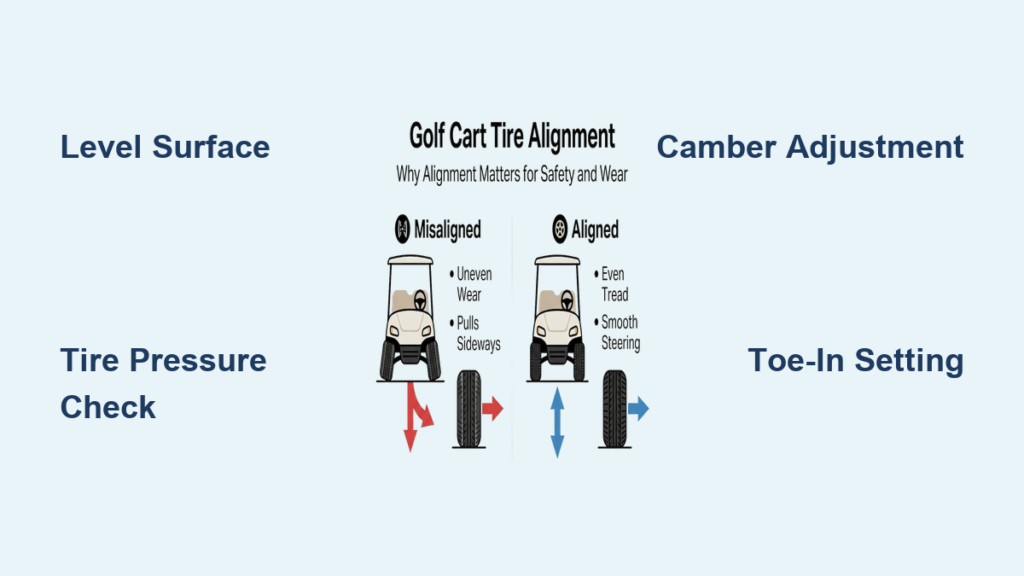
Cups or bald spots on tires suggest alignment problems or incorrect pressure. Check tire pressure monthly with a gauge.
Underinflation causes shoulder wear. Overinflation wears the center. Adjust to the PSI listed on the tire sidewall.
If wear persists, inspect suspension components. Worn tie rods or ball joints cause misalignment. Replace damaged parts.
Frequent Flats
Punctures are common on rough terrain. Use thicker inner tubes or flat-resistant inserts if you drive off paved paths.
Check rims for dents or cracks that break the seal. Reseat the tire bead and inflate slowly. Apply soapy water to find slow leaks.
Consider upgrading to solid tires if you use the cart for work rather than recreation.
Frequently Asked Questions About Golf Cart Problems
What is the most common golf cart problem?
Battery failure is the most frequent cause of golf cart problems, especially in electric models. Dead or weak batteries prevent startup and cause power loss during use. Regular terminal cleaning and water level checks help prevent this issue.
Why does my golf cart click but not move?
A single clicking sound usually points to a failing solenoid. The solenoid engages but fails to send power from the batteries to the motor. Test it with a multimeter and replace if voltage doesn’t pass through the large terminals.
How do I know if my golf cart motor is bad?
Common signs include grinding noises, sluggish acceleration, and failure to reach normal speed. Spin the rear wheels by hand to check for grinding in the axle. Inspect the pinion gear and motor bearing for wear or wobble.
Can I leave my golf cart plugged in all the time?
It depends on the charger type. Modern smart chargers automatically stop when the battery is full, making extended plugging safe. Older chargers may overcharge the pack and damage batteries over time.
How often should I check my golf cart batteries?
Check battery terminals and water levels monthly for flooded lead-acid batteries. Inspect cables for corrosion or looseness every few months. Regular checks extend battery life and prevent unexpected failures.
Key Takeaways for Fixing Common Golf Cart Problems
Most golf cart problems stem from simple maintenance oversights. Low battery water, dirty connections, worn belts, and underinflated tires cause the majority of breakdowns. By performing regular checks and addressing small issues early, you can avoid costly repairs and extend your cart’s lifespan.
Keep a basic toolkit and spare fuses on hand for quick fixes. Always disconnect power before working on electrical systems to stay safe. Start your diagnosis with the simplest checks first: battery charge, connections, and fluid levels.
If the problem persists after these basic steps, consult your cart’s service manual or contact a qualified technician. With consistent care and prompt attention to warning signs, your golf cart will deliver reliable performance for years to come.