Imagine standing on a lush, virtual fairway at St. Andrews while rain pours outside your garage window. You swing your real club, strike a real ball, and watch it soar through a digital recreation of the famous course, complete with accurate wind resistance and grass texture. This seamless blend of physical sport and digital precision often leaves players wondering: how does a golf simulator work? The answer lies in a sophisticated marriage of high-speed sensors, advanced optics, and powerful physics engines that capture every nuance of your swing.
At its core, a golf simulator functions by measuring the interaction between your club and the ball, then translating that data into a virtual flight path. High-speed cameras or infrared sensors track thousands of data points per second, capturing metrics like club head speed, face angle, and ball launch angle. This raw data is instantly processed by software that applies real-world physics to calculate exactly where the ball would land on an actual course. In this guide, you will learn the specific technologies behind these systems, from photometric sensors to radar tracking, and explore the different setups available for home use.
High-Speed Sensor Technology
The heart of any golf simulator is its sensor system. Without accurate data capture, the virtual representation of your shot would be nothing more than a random animation. These sensors operate at incredibly high frame rates, often capturing images or data points at speeds exceeding 1,000 frames per second. This capability is essential because the interaction between a golf club and a ball happens in less than a millisecond.
Photometric Camera Systems
Photometric systems rely on high-speed cameras to take multiple images of the ball immediately after impact. These cameras do not just take a picture; they analyze the position of the ball in 3D space across several frames. By triangulating the ball’s position in each successive image, the system calculates velocity and direction with extreme precision.
- Most photometric units use two or more cameras positioned at different angles to ensure 3D tracking
- Infrared illumination allows these systems to function in various lighting conditions, as infrared light is invisible to the human eye but clearly detected by sensors
- Modern systems can track standard, unmarked balls by analyzing surface imperfections and texture
Radar and Infrared Tracking
While cameras look at the ball, other systems use radar or infrared grids to measure movement. Radar-based launch monitors, often used in professional settings, emit radio waves that bounce off the moving ball and club.
- Radar systems measure the change in frequency of the returned wave to determine speed and direction
- Radar excels at tracking the club head before, during, and after impact, unlike some camera systems
- Radar requires a certain amount of flight path to function correctly, which can be a challenge in smaller indoor spaces
Critical Data Points Captured

Once the sensors detect the event, the system must extract specific metrics to simulate the shot accurately. The software needs to understand the physics of why the ball is moving that way, not just how fast it travels.
Ball Launch Metrics
The immediate reaction of the ball off the clubface provides the primary data for trajectory. The simulator measures the initial velocity and angle to determine the apex and carry distance of the shot.
- Launch angle is the vertical angle at which the ball leaves the clubface
- Ball speed is the velocity of the ball immediately after impact, a direct result of club head speed
- Side angle determines the horizontal direction of the ball’s initial flight path relative to the target line
Spin Rate and Axis
Spin is perhaps the most critical factor in shaping a golf shot. Without accurate spin data, a simulator cannot distinguish between a draw, a fade, a hook, or a slice.
- Backspin rate, measured in RPM, keeps the ball in the air and affects trajectory and roll upon landing
- Side spin determines the curvature of the ball, causing it to curve left or right
- Spin axis tilt dictates the shape of the flight, creating draws or fades
Club Head Dynamics
Advanced simulators also track the club itself, providing feedback on your swing mechanics. This is invaluable for coaching and improvement.
- Club head speed measures the speed of the club head at the moment of impact
- Face angle indicates whether the clubface was open, closed, or square at impact
- Path shows the direction the club head was traveling through the impact zone
- Impact location reveals precisely where on the clubface the ball struck, often visualized as a heat map
Software Physics Engine Processing
Capturing the data is only half the battle. The raw numbers must be processed by a sophisticated physics engine that acts as the brain of the operation, applying the laws of aerodynamics and gravity to predict the ball’s flight.
Aerodynamic Calculations
The physics engine simulates how air resistance affects the ball. It calculates the drag and lift forces acting on the ball at every fraction of a second during flight.
- The software accounts for the dimple pattern on the ball, which reduces drag and allows for longer flight
- Based on backspin rate, the engine calculates the lift force that counteracts gravity
- Users can adjust wind speed, wind direction, temperature, and humidity, and the engine recalculates the flight path in real-time
Terrain and Surface Interaction
A realistic simulator must account for what happens when the ball lands. The software contains detailed topographical maps of famous courses.
- The engine reduces carry distance for uphill shots and adds distance for downhill shots
- The software adjusts ball behavior based on whether it lands on fairway, rough, sand, or hardpan
- After landing, the physics engine calculates how the ball bounces and rolls based on ground firmness and angle of descent
Projector and Screen Setup

To visualize the virtual course, the system needs a display method. Most home and commercial simulators use a combination of a high-lumen projector and a specialized impact screen.
Impact Screen Materials
The screen must be durable enough to handle high-speed impacts while providing a clear image.
- High-quality screens are made of tightly woven, tensioned fabric that absorbs the energy of the ball
- Good screens reduce the impact sound, making the experience quieter
- The material must be white or neutral enough to reflect the projector’s light accurately
Projector Requirements
Standard office projectors are rarely sufficient for golf simulators due to unique lighting conditions and resolution needs.
- A projector with at least 3,000 lumens is necessary to produce a bright image
- Short-throw projectors are preferred because they minimize the chance of the player casting a shadow
- 1080p is the standard minimum resolution, with 4K becoming more common
Hitting Surface and Mat Design
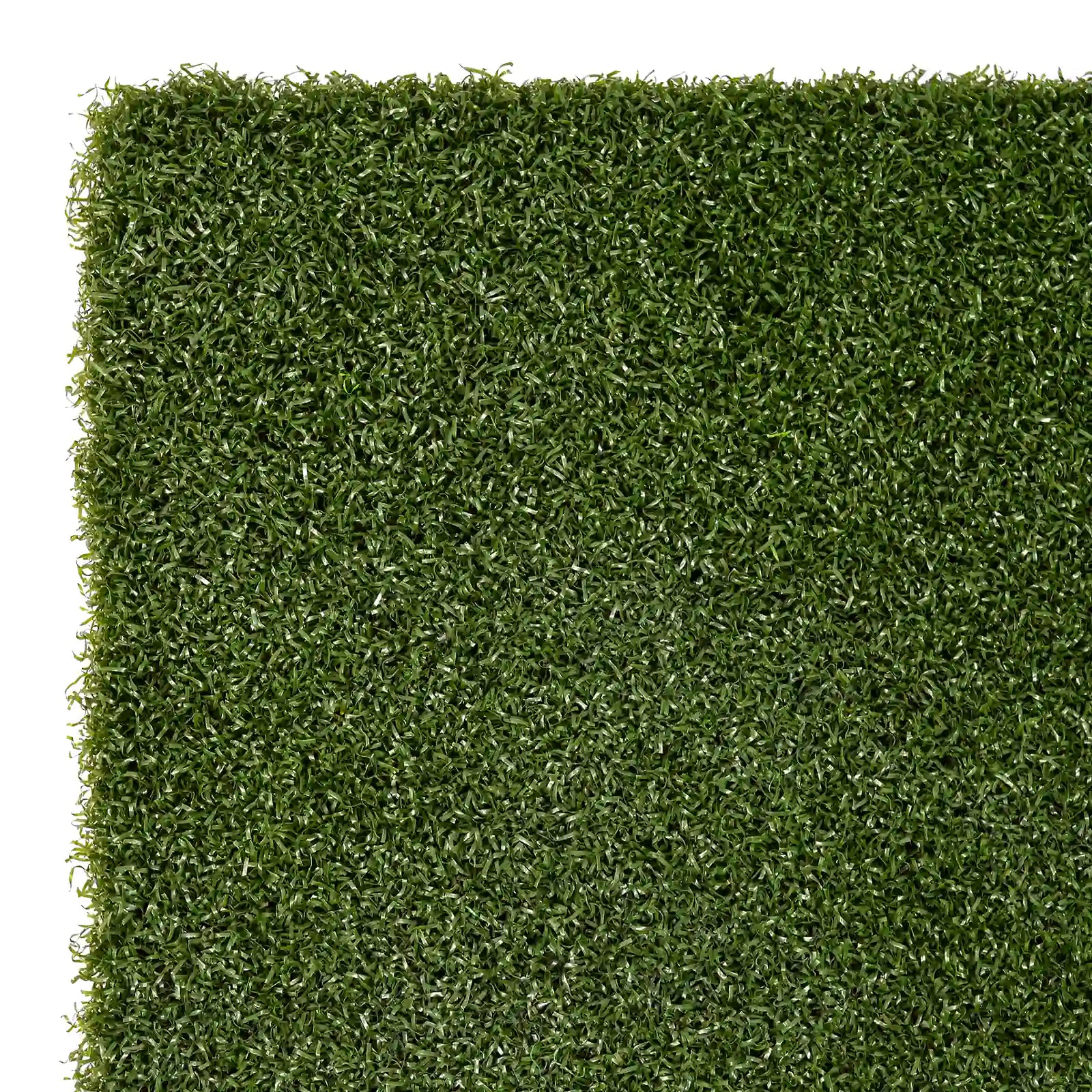
You cannot hit directly off the concrete floor; you need a surface that mimics real turf. The hitting mat is where you stand and strike the ball.
Turf Realism and Feel
The primary goal of the mat is to replicate the feeling of hitting off a real tee box or fairway.
- High-end mats use dense, short fibers that simulate the firmness of a tee box
- Quality mats have multiple layers, including a shock-absorbing base and a realistic turf top layer
- Many mats come with removable rubber tees or holes for wooden tees
Shock Absorption and Safety
Repeatedly hitting off a hard surface can lead to joint injuries, particularly in the wrists, elbows, and shoulders.
- The base layer of a good mat contains specialized foam that absorbs the shock of fat shots
- Proper shock absorption reduces the risk of golfer’s elbow and other repetitive strain injuries
- Premium mats are designed to be gentle on club finishes
Types of Simulator Systems

Not all golf simulators are built the same. The market offers various configurations ranging from portable units to permanent installations.
Portable and Net-Based Systems
These are the most accessible options for casual players or those with limited space.
- Setup typically consists of a net, a mat, and a launch monitor that sits behind or beside the ball
- Shot data and flight path are displayed on a tablet, phone, or TV screen
- These systems are easy to store and lower in cost, but offer a less immersive visual experience
Dedicated Enclosure Systems
This is the standard for serious home enthusiasts and commercial facilities.
- A permanent or semi-permanent structure features a large impact screen, short-throw projector, and integrated sensors
- This setup provides a full-field-of-view experience where the player feels they are on the course
- It requires significant dedicated space and higher installation costs
Calibration and Accuracy Factors
Even the best hardware can produce poor results if not calibrated correctly. Several factors influence how closely the virtual result matches reality.
Room Lighting Conditions
Lighting plays a massive role, especially for photometric systems.
- Bright sunlight or flickering fluorescent lights can interfere with infrared sensors
- Most manufacturers recommend dimmable LED lights that do not emit infrared frequencies
- Shadows cast by the player can confuse optical sensors, leading to missed data points
Sensor Alignment and Leveling
The physical placement of the sensors relative to the hitting mat is critical.
- The hitting mat and sensor unit must be perfectly level to avoid miscalculating launch angles
- The software needs to know the exact distance between the sensor, the ball, and the screen
- Regular calibration routines help maintain accuracy over time
Frequently Asked Questions About Golf Simulators
What is the minimum space needed for a golf simulator?
Most systems require at least 8.5 to 9 feet of ceiling height to accommodate a full driver swing. You also need enough depth (typically 10 to 16 feet) and width for the screen, enclosure, and hitting area.
Do you need to use special golf balls in a simulator?
Modern photometric systems can track standard, unmarked balls by analyzing surface imperfections and texture. However, older marker-based systems required specific dots on the ball for spin tracking.
How accurate are golf simulators compared to real golf?
Accuracy depends on sensor quality and calibration. High-end photometric and radar systems capture precise launch angle, ball speed, and spin rate, making them reliable for both practice and fitting. Entry-level laser systems may struggle with complex spin data.
Can a golf simulator help lower your handicap?
Yes. Simulators provide instant feedback on club head speed, face angle, path, and impact location. Practicing with this data allows you to identify flaws and make adjustments that transfer to the real course.
How long does it take to set up a home golf simulator?
Portable net-based systems can be assembled in under an hour. Dedicated enclosure systems take longer, often requiring a full day for the frame, screen, projector mounting, and software configuration.
Key Takeaways for Understanding Golf Simulator Technology
Golf simulators work by combining high-speed sensors, sophisticated physics engines, and realistic display systems to replicate the experience of playing on an actual course. Photometric cameras and radar systems capture critical data like ball speed, launch angle, and spin rate in less than a millisecond after impact. This data feeds into software that calculates aerodynamic forces and terrain interactions to predict exactly how the ball would fly and land.
Whether you choose a portable net setup or a dedicated enclosure, proper calibration and adequate space are essential for accurate results. As technology advances, AI coaching, VR headsets, and haptic feedback will continue to blur the line between virtual and real golf. Your next step is to assess your available space, budget, and training goals, then explore which sensor type and software library best match your needs as a player.