Your golf cart was cruising along just fine, and then nothing. No warning, no sputter, just silence. You turn the key and get absolutely no response. Two weeks later, it’s still sitting in the garage collecting dust. If your golf cart stopped working mid-ride, you’re dealing with one of the most frustrating problems owners face. The good news? The cause is usually one of a handful of electrical failures that respond well to basic at-home troubleshooting.
In this guide, you’ll learn how to diagnose the most common reasons a golf cart stopped working. We’ll cover battery checks, controller testing, fuse inspections, and more. By the end, you’ll know exactly where to start and what tools you need to bring your cart back to life.
Check Battery Voltage First
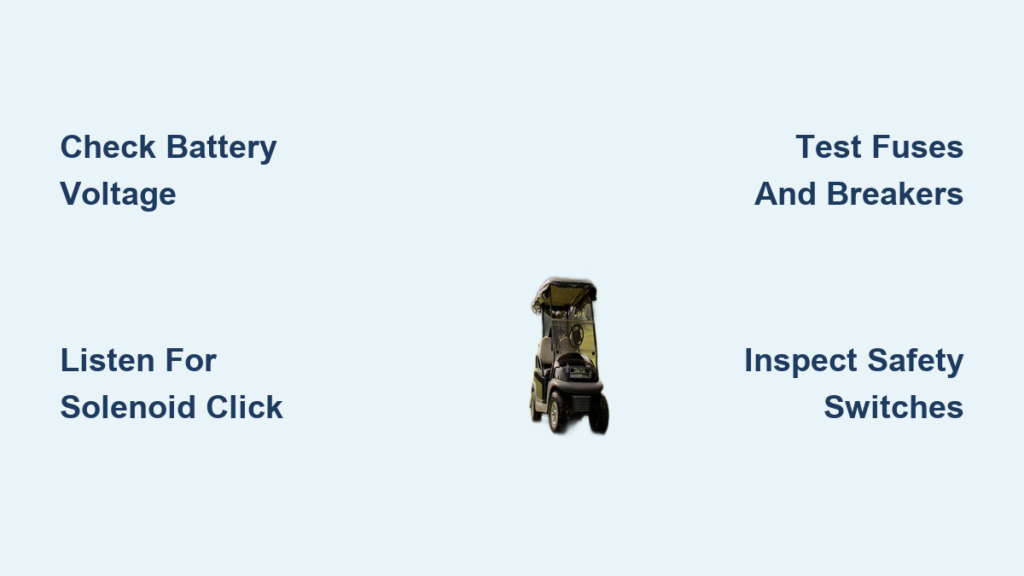
A dead battery system is the number one reason a golf cart stopped working. Even if your cart was recently charged, voltage failures can happen without warning.
Test Each Battery with a Multimeter
Start by grabbing a multimeter and setting it to DC volts on the 20V range. Place the red probe on the positive terminal and the black probe on the negative terminal. A healthy 12V battery should read 12.6V or higher when fully charged. For a 36V system, the total should measure around 37.8V. For 48V systems, expect roughly 50.4V.
If any single battery reads below 12.4V, it’s undercharged. Anything below 11.5V likely means the battery is dead or sulfated.
Inspect Terminals and Cable Connections
Corroded terminals are a silent killer of golf cart electrical systems. Look for white or green buildup around the battery posts. Clean these areas with a wire brush and a baking soda solution. After cleaning, tighten every connection you find. Loose cables can mimic the symptoms of dead batteries.
Also, double-check that the ground cable is firmly attached to the frame. A weak ground connection can shut down your entire system.
Pro Tip: Gently wiggle cables while testing voltage. If the reading drops suddenly, you’ve found an intermittent break that needs repair.
Listen for the Controller Click
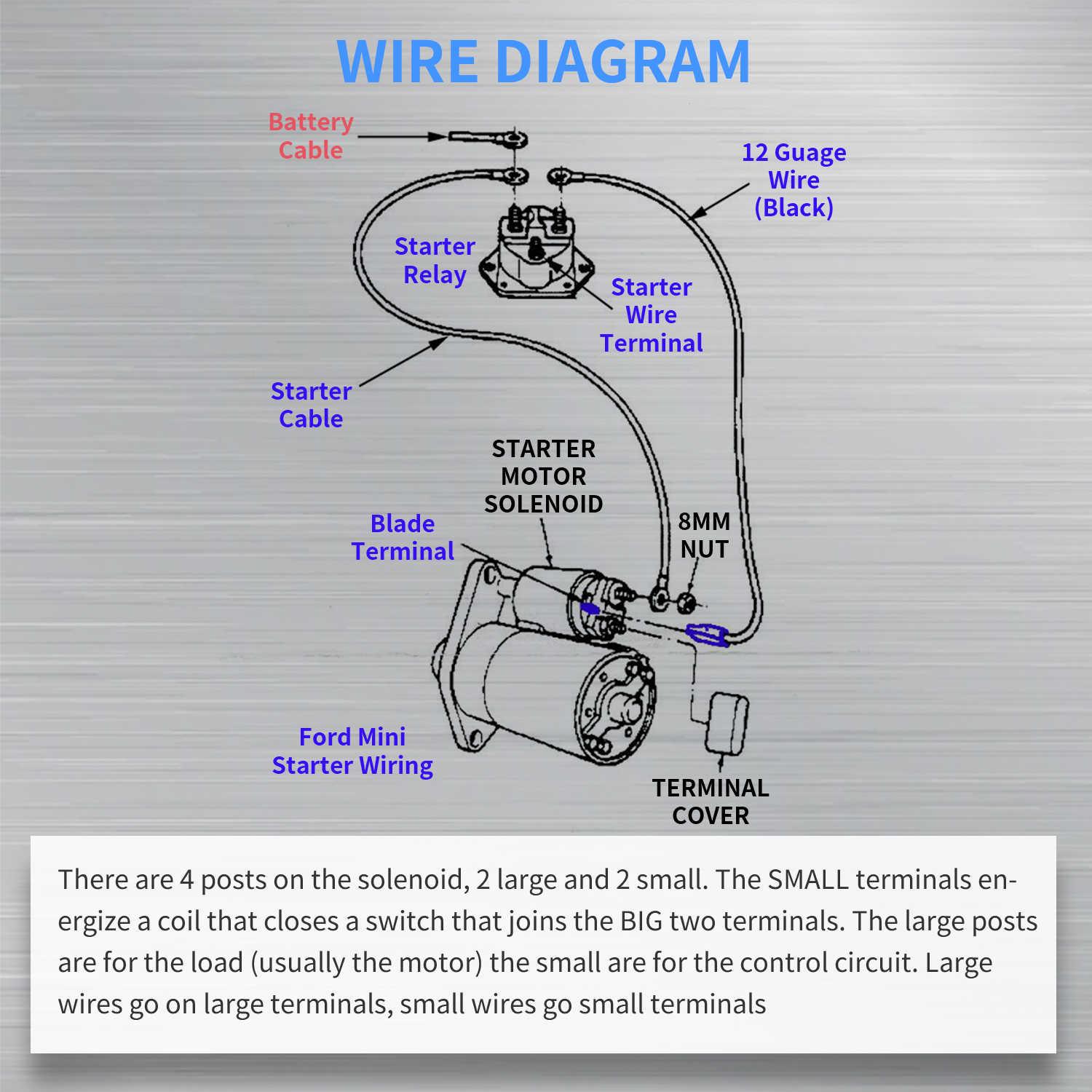
The controller manages power delivery between your batteries and the motor. When it fails, your golf cart won’t start even with fully charged batteries.
Identify Clicking at the Solenoid
Turn the key and press the accelerator pedal. You should hear a distinct click from the solenoid, typically located near the controller. If you hear nothing, power isn’t reaching the controller, or the solenoid itself has died.
Inspect Controller Wiring for Damage
Open up the controller area and look for burnt insulation, melted wires, or scorched components. Check all terminal connections and tighten anything loose. Sniff for the unmistakable smell of burnt electronics, which signals internal failure.
Warning: Never bypass the solenoid without proper testing first. Doing so can damage the controller or motor beyond repair.
Test All Fuses and Breakers

Fuses protect your cart’s circuits from dangerous overloads. A single blown fuse can stop all power flow, even when your batteries are perfectly healthy.
Locate and Examine Each Fuse
Find the fuse block, usually located near the controller or under the dash. Remove each fuse and inspect the metal strip inside. Replace any fuse with a broken or melted filament. Common ratings you’ll encounter include 30A and 40A.
Reset the Circuit Breaker
Some golf carts use a thermal breaker instead of traditional fuses. If your breaker has tripped, press the reset button, typically red or black. Wait about 10 seconds and listen for the click that confirms it has reset.
Note: A breaker that trips repeatedly signals a deeper problem, such as a short circuit or motor overload.
Verify Key Switch Power
When your dashboard lights are dead, the key switch often gets overlooked. A faulty switch can prevent power from reaching the rest of your cart.
Test Key Switch Output
Turn the key to the ON position and use your multimeter to check voltage at the switch output wire, usually red or orange. It should read your system’s full voltage, such as 36V or 48V. If you see nothing, the switch is faulty or isn’t receiving input power.
Perform a Temporary Bypass Test
Connect a jumper wire from the battery positive terminal to the switch output. If your cart powers on, you’ve confirmed the key switch is bad and needs replacement.
Safety First: Always disconnect the battery before working on any wiring.
Inspect All Safety Switches
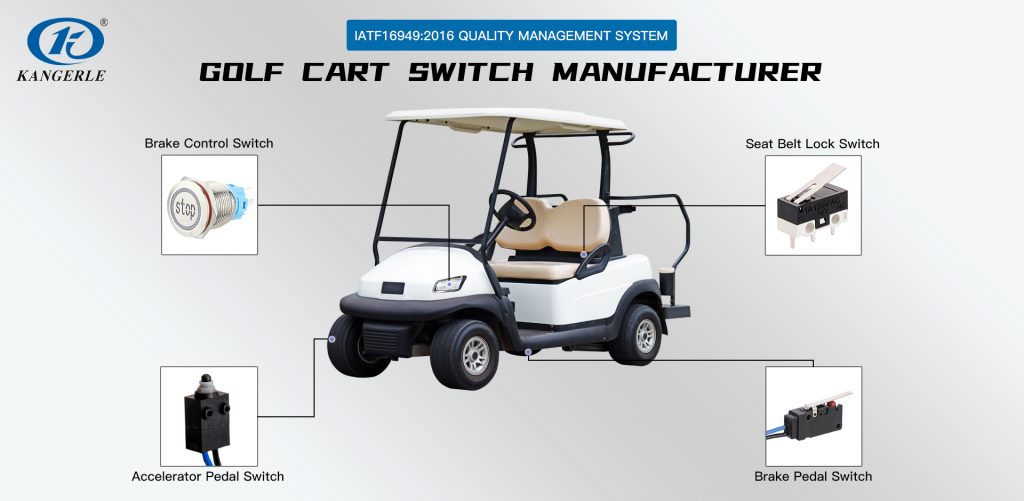
Golf carts include multiple safety interlocks. If even one fails, your cart will refuse to start.
Check Seat, Brake, and Reverse Switches
Sit down in the cart and listen for a click from the seat switch. Press the brake pedal and confirm it engages properly when depressed. For the reverse switch, look for debris or misalignment in the gear selector area.
Run a Diagnostic Bypass Test
Temporarily jumper the wires at each safety switch one at a time. If the cart starts after bypassing a specific switch, that switch is faulty and needs replacement.
Caution: Never permanently bypass safety switches. They prevent rollaways and serious accidents.
Examine the Throttle System

The throttle tells your controller how much power to deliver. When it fails, no signal means no movement.
Test an Electronic Throttle
Use your multimeter to check output voltage at the controller. The reading should increase smoothly from 0V to roughly 5V as you press the pedal. Jumps or sudden drops indicate a failing throttle potentiometer.
Inspect a Mechanical Throttle Cable
If your cart uses a physical cable, confirm it moves freely without kinks or rust. Check both ends for disconnection, especially at the motor and pedal. Lubricate with silicone spray if the cable feels stiff.
Pro Tip: A sticky throttle is a common cause of sudden stops, especially in older carts.
Diagnose Motor Failure
When power reaches the motor but nothing spins, the motor itself may be the problem.
Check for Motor Spin
Safely lift the rear wheels off the ground and engage forward gear. Press the accelerator and watch the wheels. Even slight movement means the motor is trying to work. No movement at all suggests a seized or internally broken motor.
Listen for Unusual Noises
Grinding sounds point to worn bearings or gear damage. A humming noise means power is reaching the motor but something is mechanically blocked. A burning smell indicates shorted windings or dangerous overheating.
Warning: Continuing to run a damaged motor can destroy your controller.
Test Motor Resistance (Advanced Users Only)
Disconnect the motor leads and set your multimeter to ohms. Test between the F1/F2 and A1/A2 terminals. Expect a low reading between 1 and 5 ohms. An infinite reading means you have an open circuit and need a motor replacement.
Trace Power Flow Step by Step
When symptoms are confusing, follow the power path from start to finish.
Start at the Battery Pack
Confirm total system voltage at the main output, then check voltage at the main fuse or breaker.
Move to the Solenoid
Test voltage at the large input and output terminals. The small trigger wire should receive power only when the key is on and the pedal is pressed.
End at the Motor
Verify voltage actually reaches the motor leads when you accelerate. No voltage at the motor means the problem lies upstream in the controller, solenoid, or wiring.
Expert Move: Label and photograph every wire before disconnecting anything. This saves hours of frustration during reassembly.
Prevent Future Breakdowns
A little maintenance goes a long way toward avoiding another sudden stop.
Monthly Battery Maintenance
Check water levels in flooded lead-acid batteries, clean terminals, and retighten all connections. Charge your cart after every use, even short rides around the neighborhood.
Inspect Wiring Annually
Look for rodent damage, cracked insulation, and loose grounds. Secure any loose harnesses with zip ties to prevent vibration damage.
Replace Worn Components Early
Throttle pedals typically wear out after 3 to 5 years. Solenoids fail after thousands of cycles. Consider upgrading to sealed batteries to reduce ongoing maintenance.
Pro Tip: Keep a spare fuse kit and multimeter stored in your cart at all times.
Frequently Asked Questions About a Golf Cart That Stopped Working
Why did my golf cart stop working while riding?
The most common cause is electrical failure, especially dead batteries, a faulty solenoid, or a blown fuse. A sudden stop usually means power was interrupted somewhere between the battery pack and the motor.
How do I know if my golf cart battery is bad?
Test each battery with a multimeter. A healthy 12V battery reads 12.6V or higher when fully charged. Any reading below 11.5V suggests a dead or sulfated battery that may need replacement.
Will a golf cart click but not move?
Yes. A click from the solenoid means power is reaching the controller, but a mechanical issue in the motor, throttle, or drive system may be preventing movement.
Can a blown fuse stop a golf cart from starting?
Absolutely. Fuses protect every major circuit in your cart. A single blown fuse can cut all power, making the cart appear completely dead even when the batteries are fine.
How long do golf cart batteries typically last?
With proper care, flooded lead-acid batteries last 4 to 6 years. Sealed AGM or lithium batteries can last 8 years or longer with minimal maintenance.
Should I repair or replace my golf cart motor?
If the motor has an open circuit or seized bearings, replacement is usually more cost-effective than repair. Minor issues like dirty brushes can sometimes be fixed affordably.
Key Takeaways for Diagnosing a Golf Cart That Stopped Working
Start your diagnosis with the simplest checks first. Battery voltage and cable connections solve the majority of no-start problems. If those look good, move on to fuses, breakers, and the solenoid click test. Safety switches and throttle components come next, followed by the motor itself as a last resort.
With a basic multimeter and a few hours of patience, you can diagnose most reasons a golf cart stopped working without ever leaving your driveway. If you’ve tested everything and the cart still won’t run, it’s time to bring in a professional or replace the faulty component. The sooner you start testing, the sooner you’ll be back on the green.