
You’re backing out of the cart path and hit the reverse switch, but nothing happens. This frustrating moment catches many golf cart drivers unprepared, especially when they don’t know how to reverse a golf cart properly or what to do when reverse suddenly stops working. Most electric models use a Forward/Reverse switch on the dashboard that sends signals to the motor controller. This guide walks you through the correct reverse procedure, step-by-step troubleshooting for common failures, and model-specific fixes for EZGO and Club Car carts. You’ll also learn the maintenance habits that keep your reverse function reliable for years.
Use the Forward/Reverse Switch Properly
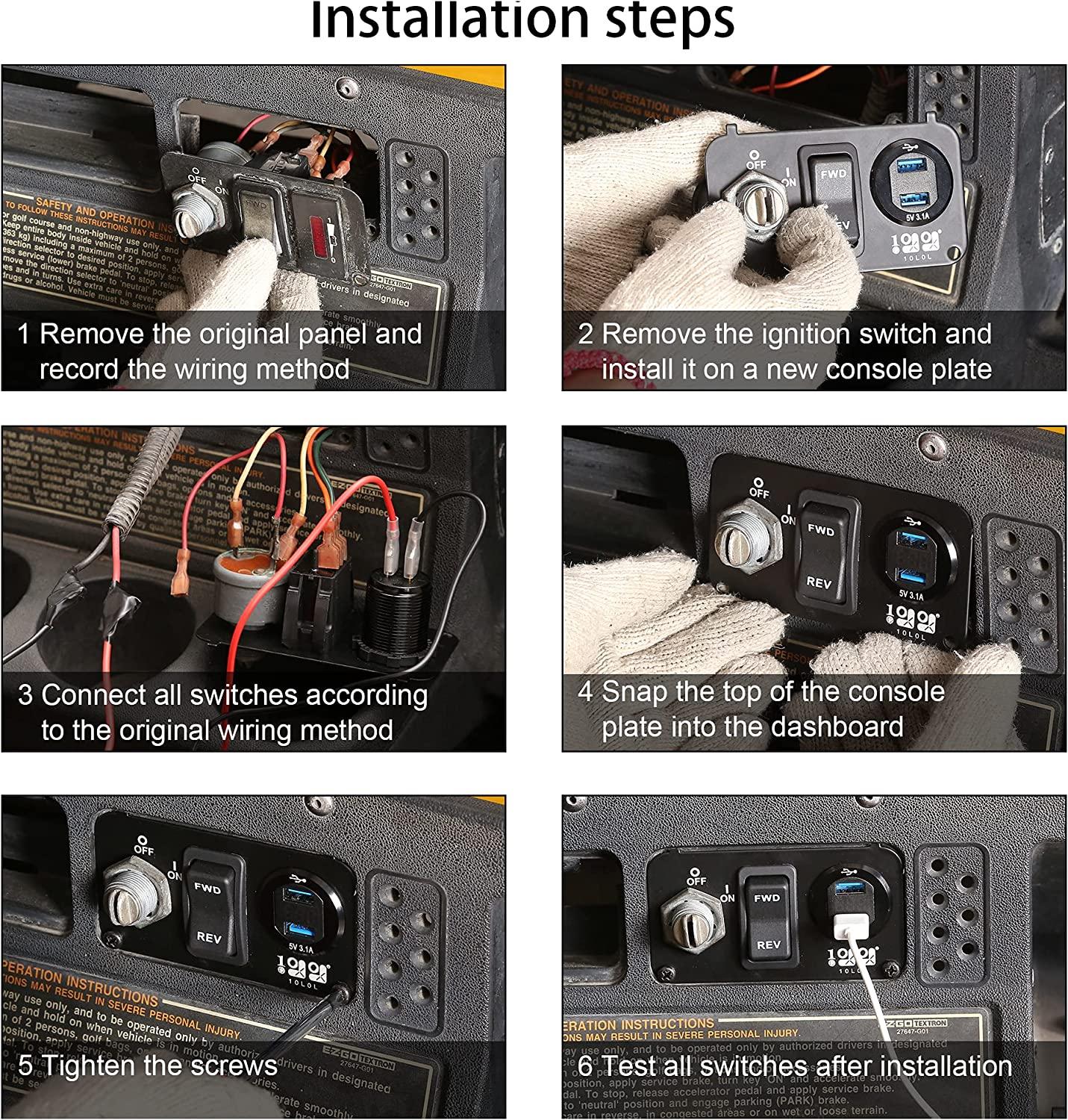
The Forward/Reverse switch is the main control for changing direction on most electric golf carts. This three-position toggle sits on the panel behind the steering wheel and sends an electrical signal to the motor controller.
Always Stop Before Switching Direction
Bring the cart to a complete stop before moving the switch from forward to reverse. Changing direction while moving creates electrical arcing, overheats the controller, and can permanently damage internal components. Never force a stuck switch, as this bends the internal contacts.
Engage Reverse the Right Way
Push the F/R switch fully backward to engage reverse. A partial push often fails to complete the circuit, leaving the cart unresponsive. Before assuming a problem exists, confirm that:
– The key is turned on
– The emergency brake lever is in the down position
– All passengers are seated and buckled in
– The turf mode switch is set to the “Turf” position
Use Neutral When Parking or Pushing
Place the switch in the middle (neutral) position before exiting the cart or moving it manually. Pushing a golf cart while it’s in forward or reverse forces the motor to generate electricity, which can fry the controller. Disconnect the battery if you need to push the cart a long distance.
Diagnose Why Your Golf Cart Won’t Reverse
When reverse fails, the cause is usually a simple electrical issue rather than a major component failure. Work through these diagnostics from easiest to most complex.
Try the Wire Swap Test First
Swapping the forward and reverse wires at the F/R switch is the fastest way to identify the problem source. Locate the wires on the switch terminals (typically labeled F and R), disconnect them, and reverse their positions.
- If the cart now moves only in reverse, the F/R switch is faulty and needs replacement.
- If the cart still won’t reverse, the problem lies in the wiring, controller, or motor.
Label each connection before disconnecting, and use a multimeter to verify continuity after reconnecting.
Listen for the Backup Beeper
Many carts emit a beeping sound when reverse is engaged. If the beeper sounds but the cart doesn’t move, the switch is sending a signal correctly but power isn’t reaching the motor.
This points to issues with:
– The solenoid
– The motor controller
– Loose or corroded wiring connections
Adjust the Micro Switches
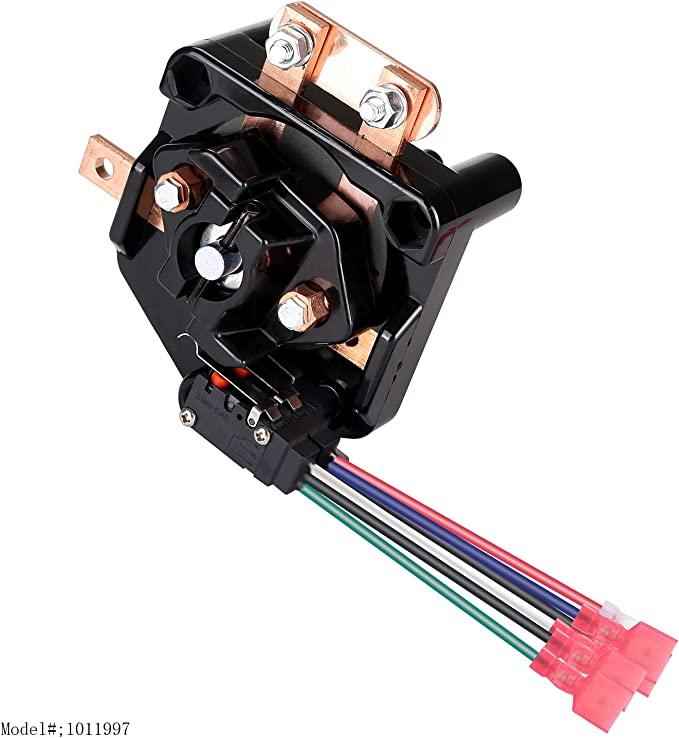
On older carts, the micro switches inside the F/R assembly often wear out or become misaligned. These tiny switches are a leading cause of reverse failure when forward still works normally.
Locate the Faulty Micro Switch
Micro switches sit near the base of the F/R switch assembly. In Club Car DS Series models from 2000 onward, the third micro switch (closest to the driver) is the most common failure point.
Visual cues to look for:
– A small plastic lever or metal tab
– Signs of burning, melting, or discoloration
– Absence of a faint “click” sound when engaging
Bend the Contact Tab for Better Contact
If the micro switch isn’t fully engaging, gently bend the metal prong upward using needle-nose pliers. This increases contact pressure and restores proper function.
Test after each adjustment and avoid over-bending, which can crack the plastic housing.
Troubleshoot Deeper Electrical Failures

When basic fixes don’t restore reverse, the problem likely lies deeper in the electrical system. Follow this logical sequence to isolate the fault.
Test the Throttle and Speed Sensors
A faulty throttle sensor prevents the controller from sending power, even when the F/R switch works perfectly. Test voltage output with a multimeter while pressing the accelerator and compare readings to manufacturer specifications.
A bad speed sensor can cause the controller to cut power unexpectedly. If the cart sputters or stalls in reverse, inspect and replace the sensor.
Inspect Controller Connections
Loose or corroded wires at the motor controller frequently cause power loss. Follow these steps:
1. Disconnect the battery
2. Open the controller cover
3. Check all terminal connections
4. Tighten any loose screws
5. Look for burnt or frayed wires
This simple fix resolved the issue for one user who reported: “Turned out to be a loose connection at the controller. Tightened all the terminals and it’s been running great since.”
Fix Model-Specific Reverse Problems
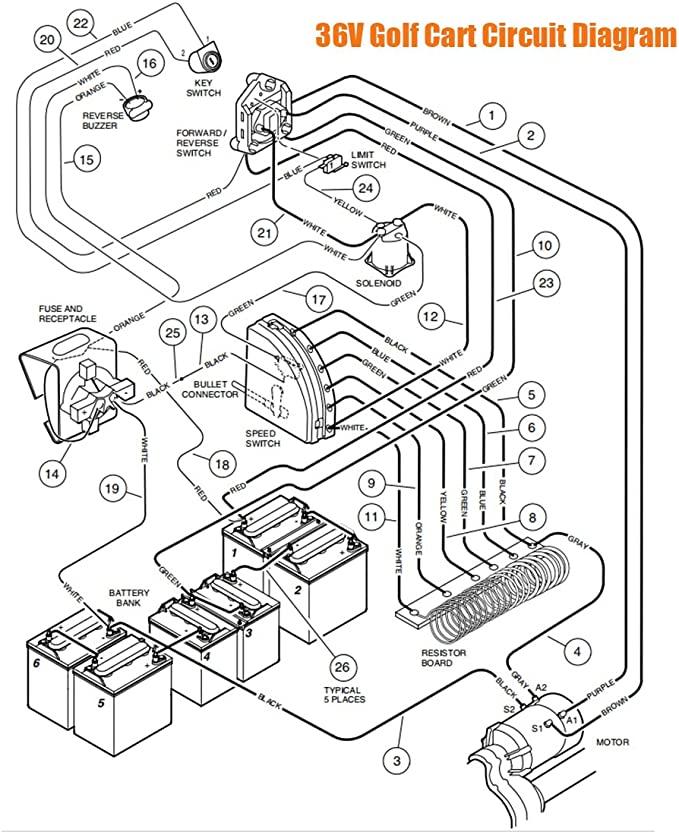
Different cart brands have unique quirks that affect reverse function. Knowing your model’s weak points saves diagnostic time.
EZGO Medalist (1994, 36V) Fixes
The EZGO Medalist frequently suffers from worn F/R switch contacts due to age. Start with the wire swap test, and if that fails, replace the entire F/R switch. Apply dielectric grease to all new connections to prevent future corrosion. These older models often lack a backup beeper, so rely on physical movement to confirm reverse engagement.
Club Car DS Series (2000+) Repairs
In Club Car DS models, the FNR (Forward-Neutral-Reverse) switch contains three micro switches. The third one (closest to the driver) is the usual culprit when reverse fails.
Repair procedure:
– Remove the switch housing
– Locate the third micro switch
– Bend the contact tab upward slightly
– Reassemble and test
One owner warned: “My old wire caught fire and burnt the FNR.” If you’ve modified your cart’s speed or power, upgrade the wiring using 4-gauge welding cable and waterproof connectors to prevent overheating.
Prevent Damage When Reversing
Most reverse problems stem from improper use rather than mechanical wear. These habits protect your cart’s electrical system.
Never Switch Directions While Moving
This rule cannot be overstated. Always stop completely before shifting from forward to reverse. Switching under motion causes electrical arcing, controller overload, premature motor wear, and potential fire hazards in older models.
Avoid Pushing the Cart in Gear
Only push your golf cart when it’s in neutral. Pushing while in forward or reverse forces the motor to generate electricity, which can destroy the controller. Disconnect the battery before moving the cart any significant distance.
Use Turf Mode to Conserve Power
Keep the turf mode switch (left of the F/R switch) in the “Turf” position when reversing on grass or soft surfaces. This limits speed, reduces strain on the system, and extends battery life during low-speed maneuvers.
Reset the Controller System
Sometimes the motor controller simply needs a reboot to clear error codes and restore default settings.
Disconnect the Battery for a Full Reset
- Turn off the key and remove it
- Disconnect the main battery cable (usually the negative terminal)
- Wait 10 minutes for the system to discharge
- Reconnect the cable
- Test reverse function
One user confirmed: “Try resetting the controller by disconnecting the battery for 10 minutes. Sometimes it just needs a reboot.”
Follow Safe Reverse Procedures
Reversing safely requires awareness and control, especially on slopes or crowded paths.
Check Your Surroundings First
Always look behind the cart and confirm the path is clear before reversing. Golf carts have limited rear visibility and rarely include backup cameras. Use a spotter when visibility is restricted.
Accelerate Gently
Golf cart accelerators are sensitive. Press the pedal slowly when reversing, because the cart can lurch backward quickly and increase rollover risk.
Control Speed on Hills
When reversing downhill:
– Apply the brake early and steadily
– Maintain speed under 5 MPH
– Avoid sharp turns
– Never pump the brakes; apply firm, continuous pressure
Remember that golf cart brakes need more pressure than a car. Coasting downhill is dangerous.
Maintain Reverse Function Long-Term
A little preventive maintenance keeps your reverse working reliably and avoids costly repairs.
Clean and Lubricate the F/R Switch
Dirt and moisture degrade switch performance over time. Every 3 to 6 months, remove the switch cover, spray with electrical contact cleaner, dry thoroughly, and apply a small amount of dielectric grease to the contacts.
Upgrade Wiring on Modified Carts
If you’ve increased your cart’s speed or power output, replace factory wires with 4-gauge welding cable and waterproof, heat-resistant connectors. Route new wires away from heat sources to prevent the fire risk that comes with high-performance modifications.
Inspect Ground Connections Regularly
A poor ground connection can mimic reverse failure. Check the motor-to-frame ground wire, the battery-to-frame connection, and the controller grounding point. Clean any corrosion with a wire brush and tighten all connections.
Frequently Asked Questions About Reversing a Golf Cart
Why won’t my golf cart go in reverse but forward works fine?
This usually points to a faulty F/R switch, a misaligned micro switch, or a loose controller connection. Try the wire swap test first to determine whether the switch or the motor circuit is responsible.
Can switching from forward to reverse while moving damage my golf cart?
Yes. This is one of the most common causes of electrical damage. Switching direction under motion creates arcing, overheats the controller, and can burn out the motor or wiring. Always come to a full stop first.
Where is the reverse switch located on most golf carts?
The Forward/Reverse switch sits on the dashboard panel behind the steering wheel. It typically has three positions: forward, neutral, and reverse.
How do I reset my golf cart’s motor controller?
Disconnect the main battery cable (usually the negative terminal), wait 10 minutes for the system to fully discharge, then reconnect. This clears temporary error codes and restores default settings.
Is it safe to push a golf cart in neutral?
Yes, but only in neutral. Pushing the cart while in forward or reverse forces the motor to generate electricity, which can destroy the controller. For long moves, disconnect the battery entirely.
What tools do I need to fix reverse problems at home?
A multimeter, needle-nose pliers, screwdrivers, and electrical contact cleaner cover most diagnostic and repair tasks. Keep dielectric grease and replacement micro switches on hand for older carts.
Key Takeaways for Reversing Your Golf Cart
Mastering how to reverse a golf cart comes down to three essentials: proper technique, smart troubleshooting, and consistent maintenance. Always stop completely before changing direction, use the wire swap test as your first diagnostic step, and inspect micro switches on older models. Most reverse failures stem from simple contact issues that you can fix at home with basic tools. If problems persist after trying these proven solutions, consult a certified golf cart technician—but start with these user-tested fixes first to save time and money.