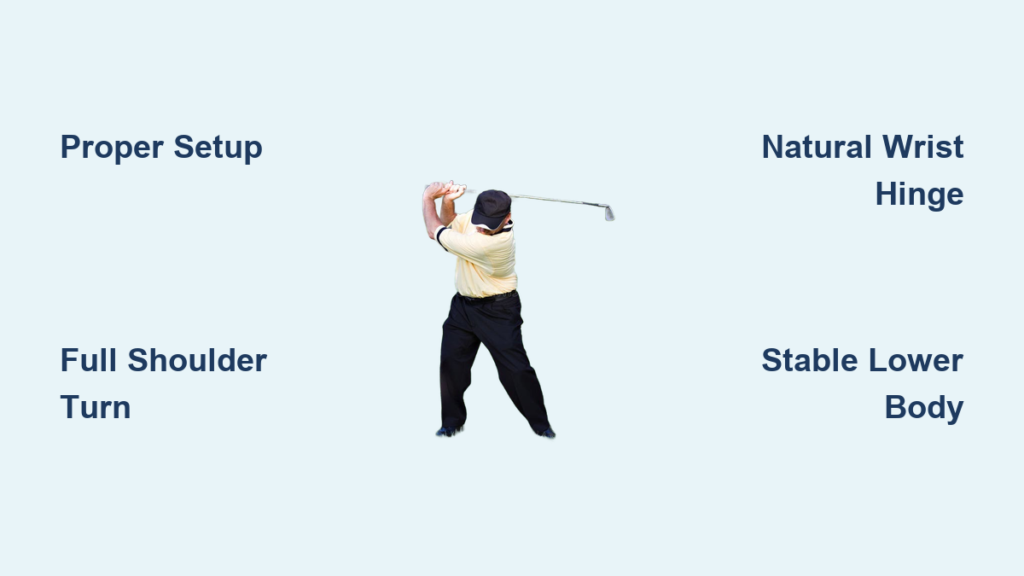
If you’ve ever wondered how fast your golf swing really is, you’re not alone. Many golfers—especially those without access to high-end launch monitors—want to know their clubhead speed to make smarter equipment choices, particularly when it comes to shaft flex. The good news? You don’t need a $20,000 TrackMan unit to get a solid estimate. With a few practical methods and real-world data, you can determine your golf swing speed using simple tools or even just your average driving distance.
Knowing your swing speed helps you match the right shaft to your game, avoid unnecessary misses (like blocks to the right), and optimize ball flight. Whether you’re trying to lower your trajectory, improve consistency, or simply satisfy your curiosity, this guide breaks down proven DIY techniques, validates them with real player data, and shows you exactly how to apply the results.
Estimate Swing Speed from Your Driving Distance
One of the most reliable and accessible ways to determine golf swing speed is by using your average driver distance. This method is backed by consistent real-world feedback from players who’ve tested their speeds on launch monitors.
Divide Your Distance by 2.5
Take your average carry plus roll driver distance on well-struck shots and divide it by 2.5. The result is a close approximation of your clubhead speed in miles per hour.
Here are a few quick examples:
– 250 yards ÷ 2.5 = 100 mph
– 225 yards ÷ 2.5 = 90 mph
– 275 yards ÷ 2.5 = 110 mph
This rule has been repeatedly confirmed by players who’ve used launch monitors. One golfer reported a verified 105 mph swing speed with an average drive of 274 yards. Dividing 274 by 2.5 gives 109.6 mph, which is just 4.6 mph off the actual reading.
Why the 2.5 Rule Works
Modern drivers are designed for a high smash factor, meaning the ratio of ball speed to clubhead speed is efficient (around 1.48 to 1.52). A well-hit drive translates distance predictably thanks to this energy transfer. While factors like launch angle, spin rate, and course conditions affect total roll, the 2.5 multiplier smooths out these variables when you average multiple shots.
Pro Tip: Use only your best 3 to 5 drives from flat, neutral lies. Avoid uphill or downhill shots and any drives with a wind advantage.
Use Video Analysis for a Technical Estimate
If you want a more hands-on approach, video analysis can give you a visual estimate of swing speed using basic physics.
Record at a High Frame Rate
Use a smartphone or camera that shoots at 30fps or higher (60fps is better). Set it up perpendicular to your swing path at a known distance, such as 10 feet away. Film a few full swings with your driver.
Measure Clubhead Movement Per Frame
Play the video back frame by frame and identify the point where the clubhead is in full downswing, just before impact. Measure how far the clubhead travels between two consecutive frames.
If the club moves 1.5 feet per frame at 30fps, multiply by 20.45 to get mph. That gives 1.5 × 20.45 = 30.67 mph, which seems low. That’s because you only captured a fraction of the swing. This method works best right near impact, where the clubhead reaches peak speed. You must scale the distance accurately using a reference point, like club length or stance width.
Know the Limitations of Video Estimation
Video analysis requires precise calibration and consistent tracking. The clubhead moves fast, and margin of error increases with poor camera angle or low resolution. While clever, this method is less accurate than the distance-based rule unless you’re meticulous with your setup.
Cross-Check with Real Player Benchmarks
Real-world data from golfers who’ve used launch monitors adds credibility to DIY estimates.
Confirmed Speed vs. Distance Examples
| Player Profile | Verified Swing Speed | Avg. Drive | Calculated Speed (÷2.5) |
|---|---|---|---|
| Assistant Pro | 115 mph | 287.5 yds | 115 mph |
| Experienced Golfer | 110 mph | 275 yds | 110 mph |
| Mid-Level Player | 95 mph | 237.5 yds | 95 mph |
| Senior Golfer | ~90 mph | 225 yds | 90 mph |
These match-ups show the 2.5 rule is surprisingly accurate for most recreational and competitive players.
What If You Hit It Farther with Less Effort?
One golfer noted that when he doesn’t try to smash the ball, he actually gets better distance. This highlights swing efficiency over raw speed. A smooth, well-timed swing often produces a better smash factor than an aggressive one. You can genuinely gain yards without increasing clubhead speed.
Match Swing Speed to Shaft Flex
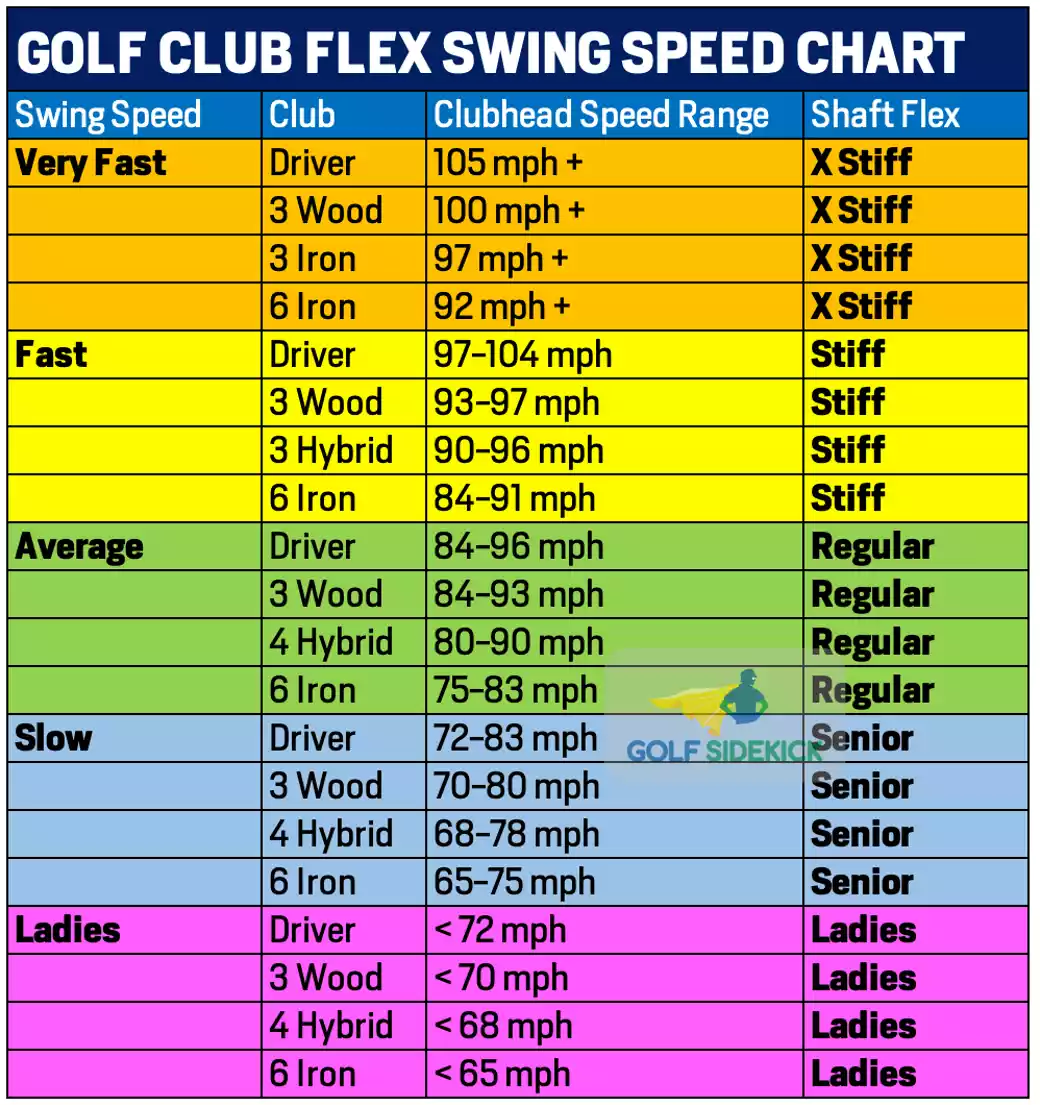
Once you’ve estimated your swing speed, use it to choose the right shaft flex—especially if you’re struggling with ball flight or accuracy.
Speed-to-Shaft Recommendations
| Swing Speed (mph) | Recommended Shaft Flex |
|---|---|
| Under 80 | Ladies or Senior |
| 80 to 90 | Regular |
| 90 to 100 | Regular-Stiff or In-Between |
| 100 and above | Stiff or X-Stiff |
If you’re averaging 250 yards, you’re likely swinging around 100 mph, which puts you right at the regular-to-stiff transition zone.
Test Both Flexes Before Committing
As one expert advised, try both shafts in a similar club. Use a Ping G10 with regular and stiff red shafts, for example, and see which gives you better flight and control.
Many golfers assume they need stiff because of ego, but control often trumps stiffness. One player went from blocking shots right with stiff to hitting straighter, slightly longer drives with regular.
Signs You’re Using the Wrong Flex
Shots feel dead and lack carry with a shaft that’s too stiff, and your ball flight stays too low. A shaft that’s too flexible sends the ball flying too high with inconsistent dispersion, and the club may feel whippy in your hands.
When in doubt, go with regular, especially if your swing isn’t getting any faster with age.
Use Smash Factor to Improve Accuracy
Swing speed alone doesn’t tell the whole story. How efficiently you transfer energy matters just as much.
Calculate Your Smash Factor
Divide ball speed by clubhead speed to get your smash factor.
- 1.50 = Ideal (maximum legal efficiency)
- 1.40 to 1.48 = Good for most amateurs
- Below 1.40 = Poor contact or gear mismatch
Even at 95 mph, a high smash factor of 1.48 can outperform a 100 mph swing with only 1.42 efficiency.
Improve Strike Quality for More Distance
A player hitting 250 yards at 100 mph might benefit more from improving center-face contact than chasing extra speed. Small tweaks in posture, ball position, or timing can boost smash factor quickly.
Pro Tip: Place a dry-erase mark on the clubface. After impact, check where the ball leaves a ring. Adjust your setup until those marks cluster in the center.
Avoid Common Estimation Mistakes
Even simple methods can go wrong if misapplied.
Don’t Use Your Maximum Distance
Using your longest drive of the year inflates your results. Stick with consistent, well-struck averages and avoid outliers.
Don’t Ignore Equipment Differences
Older drivers, worn faces, or mismatched lofts reduce efficiency. A 10-year-old driver may lose 5 to 10 percent in ball speed compared to a modern one.
Don’t Overvalue Speed Alone
Swing speed isn’t destiny. Tempo, timing, and strike quality often matter more. A smooth 95 mph swing beats a jerky 100 mph one every time.
Consider a Budget Launch Monitor
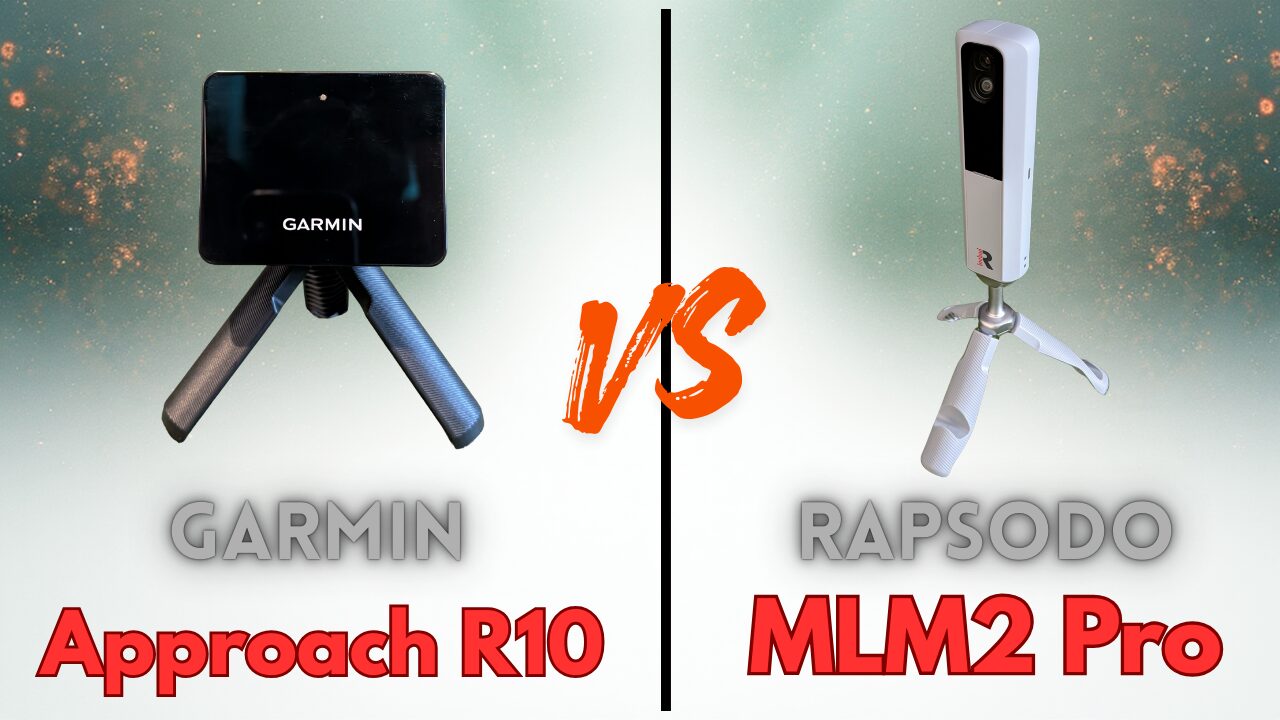
If you’re serious about improvement, a budget-friendly launch monitor can take the guesswork out of the equation.
Affordable Options Under $300
Devices like SkyTrak, Mevo, and Rapsodo MLM provide real-time clubhead speed, ball speed, launch angle, and spin data without requiring a clubfitting appointment.
Benefits of Real Data
You get instant feedback on every swing and can track progress over time. These tools also let you dial in irons and wedges, not just the driver. Even occasional use at a local pro shop or demo day can validate your DIY estimates.
Frequently Asked Questions About Golf Swing Speed
Can I measure swing speed without a launch monitor?
Yes. Divide your average driver distance by 2.5 to get a reliable estimate. Players who’ve tested on launch monitors consistently find this method within a few mph of their actual readings.
What is a good swing speed for an average golfer?
Most recreational players swing between 80 and 95 mph. A 250-yard drive typically corresponds to about 100 mph. Anything above 100 mph is considered above average for amateurs.
How accurate is the divide-by-2.5 rule?
It is surprisingly accurate. Verified examples include a 105 mph player averaging 274 yards (109.6 mph estimate) and an assistant pro at 115 mph averaging 287.5 yards (115 mph estimate). The rule holds up across a wide range of skill levels.
Does swing speed always equal more distance?
Not necessarily. Swing efficiency and smash factor often matter more than raw speed. Many players hit it farther with smoother, less aggressive swings because they make better center-face contact.
What shaft flex should I use based on my swing speed?
Under 80 mph calls for Ladies or Senior flex. Between 80 and 90 mph, Regular works best. Between 90 and 100 mph, try Regular-Stiff or test both. Above 100 mph, Stiff or X-Stiff is recommended.
When should I buy a personal launch monitor?
If you’re actively working on swing changes or getting fitted for new clubs, a monitor under $300 pays for itself quickly. Even occasional use helps you track real progress and validate DIY estimates.
Key Takeaways for Measuring Your Golf Swing Speed
You don’t need high-tech gear to determine golf swing speed. The distance divided by 2.5 rule is accurate, easy to apply, and backed by real player data. Combine it with video analysis or smash factor awareness, and you’ll make smarter decisions about shafts, clubs, and swing changes.
Focus on consistency over raw speed. Sometimes swinging less hard actually gets you more distance. Pick your best 3 to 5 drives from neutral lies, run the math, and use the result to guide your next equipment decision.